3/17/19
The topics we covered on Thursday and Friday were a bit more complicated than the topics covered Monday through Wednesday. Arrays are very useful because they can contain multiple different objects, variables, and also be different data types. P5JS already has some built-in functions in its library. Some of the functions we have gotten familiar with are: the set up function, and the draw function. But, you can create your own functions. You can create a function called triangle and put all the information you need to create the triangle, then P5JS will create it for you. While it is not necessary to create a function for triangle because it is already recognized by P5JS, you can use it to create something else such as; function moon or function movement. Another useful tool we used in our homework are constructors. While it isn’t necessary to use a for loop with a constructor, if you need to create multiple copies of something it is good to use. A constructor is a like a template or mold that can be reused once it is created in your code.
Let us look at some examples.
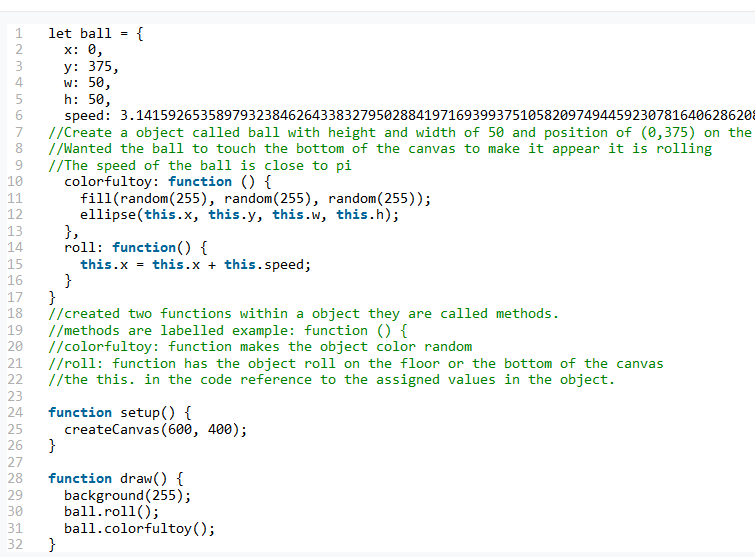
In this first example, we see some new functions on line 10 and 14. One is colorfultoy: function and the other is the roll: function, neither are in the P5JS reference . So without adding any context they would not be recognized and will likely result in an error message. The functions are within the object and are called methods and are noted with : before the word function. In colorfultoy: function the action of the object is to change colors, and be a ball (ellipse). In roll: function the action is to roll at x speed along the x axis.
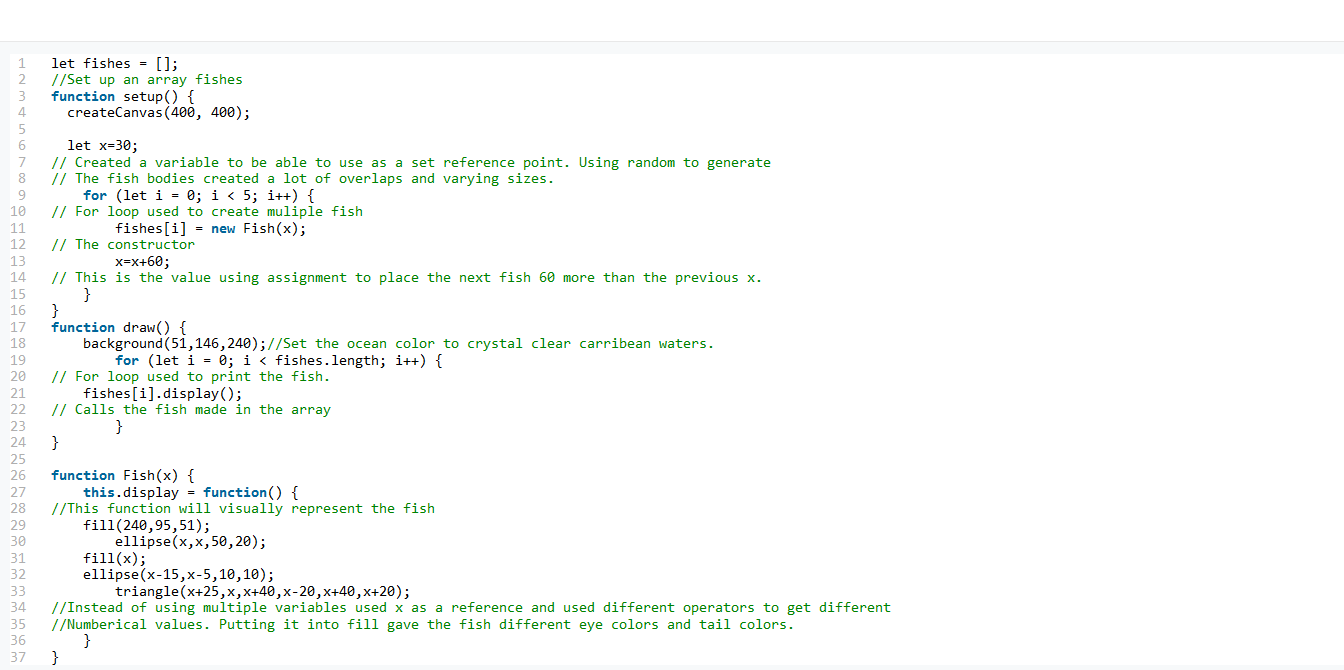
In This example we use arrays and a constructor in lines 1 and 11. While it is okay to use random assignment for dots for stars, it didn’t not work very well when creating larger objects such as fish. I stated a initial position and than used the array to fill the rest using set intervals so they do not overlap. I used a constructor to make the template of the fish so I didn’t not have to go and make 5 different fish objects. I use the addition and subtraction operators to make space between the fish.
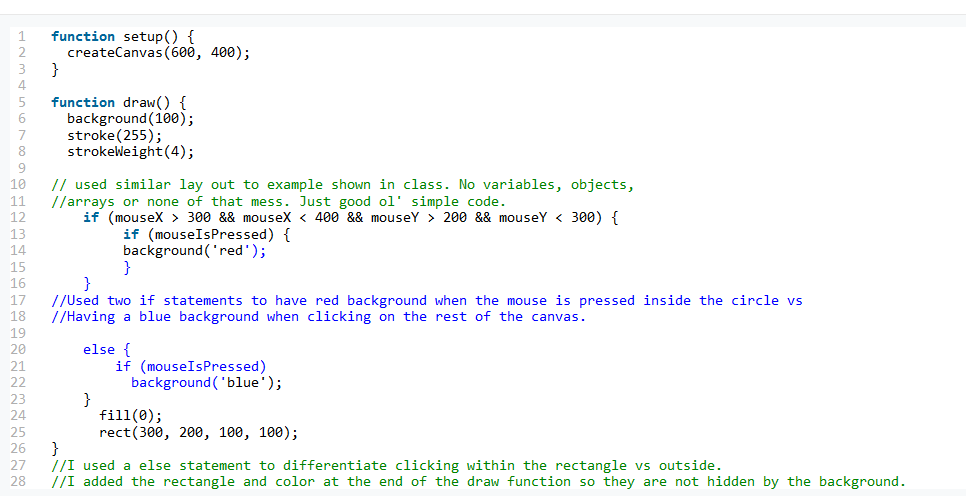
The last example used the mouse is pressed function on lines 12 and 13 and 21. Code can be interpreted as: if the mouse is clicked and is also inside the square, then turn the background red. If there is a click but is anywhere else other than inside the square, turn the background blue. The if and else statement is a boolean because actions are dependent on are the conditions stated true or false.

 Andrew's Techhire Experience