3/13/19
Prior to today in class we always made code based on set values. While the program will run the same and it might be faster to code because you don’t spend time creating variables, it can come in handy down the road. The Biggest disadvantage about using set values in codes is if the values change, the entire code has to be edited (maybe not the whole code just areas with new values). By setting variables it makes it less risky to change values down the road if you spend some extra time setting them up.
In the homework I also introduced movement to previously stagnant shapes. Movement is essentially another variable. When creating basic shapes, points on a plane are used as a reference for the program to start making the shape. Instead of using set values you can assign your mouses coordinates to the shape making it dynamic.
Lets look at some examples:
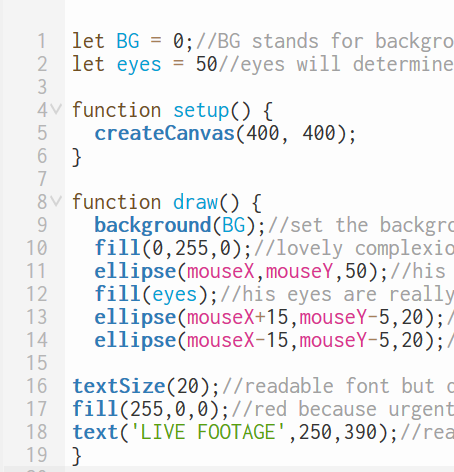
^This code has some variables in it. They come before the setup and have assigned values to them. In coding = means assignment not equal! If you look in the code for ellipse it shows mouseX and mouseY. Previously these were set values but now track the mouse instead making them dynamic. You can also see additions and subtraction inside the ellipse code which are operators. Operators can change the location relative to its reference in this case the mouse.
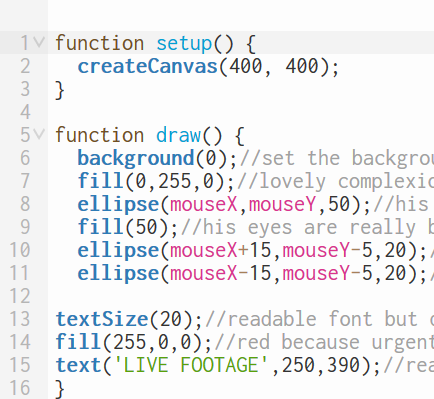
^ This code is a little shorter but doesn’t contain and variables, assignment, operators. It was a simpler time, the good ol’ days, you will be missed.
3/11/19 – 3/12/19
R.I.P.

 Andrew's Techhire Experience